Chord suffixes
m 7 9 sus2 sus4 — the shapes you actually type, one tap away.
 StagePad
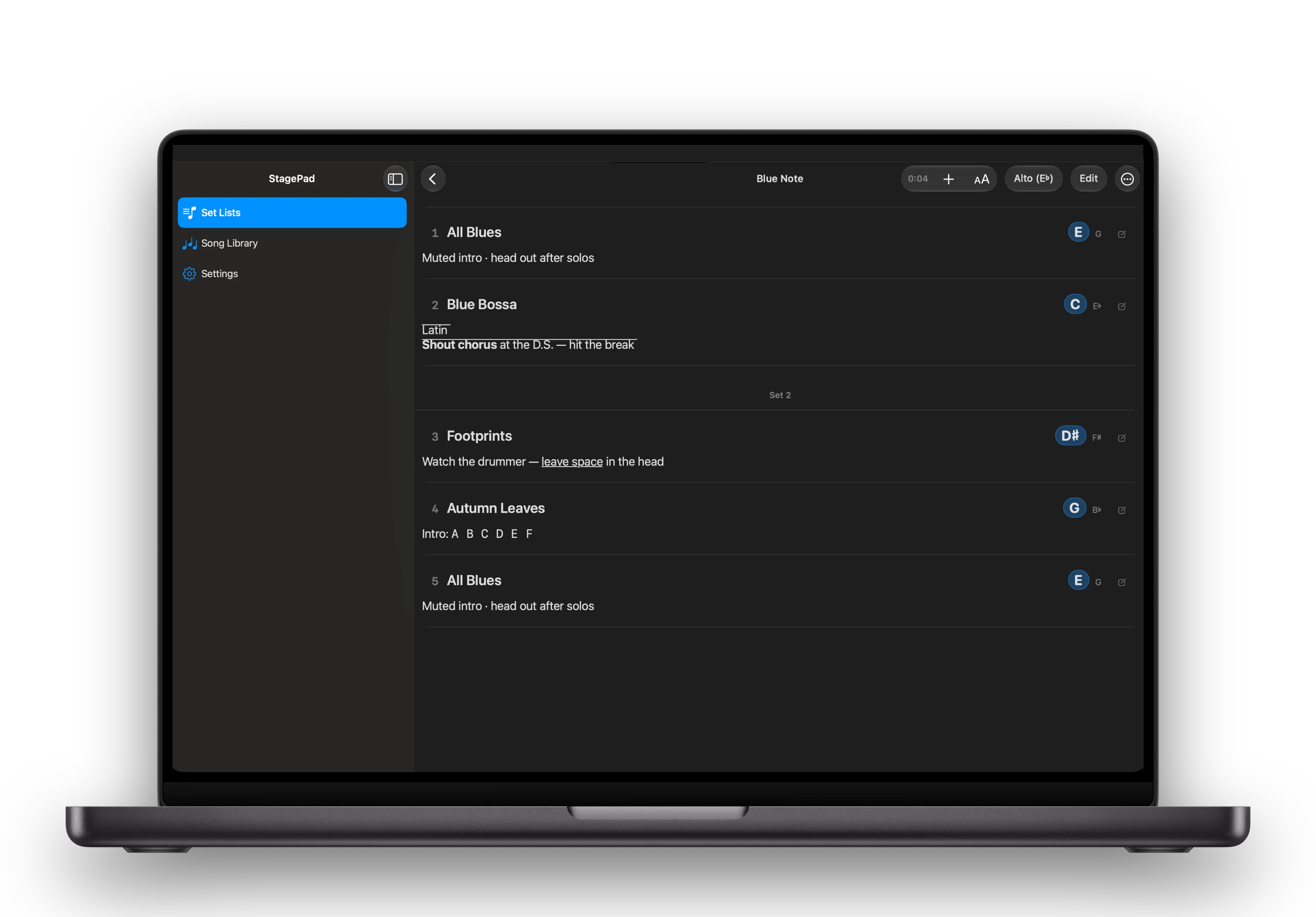
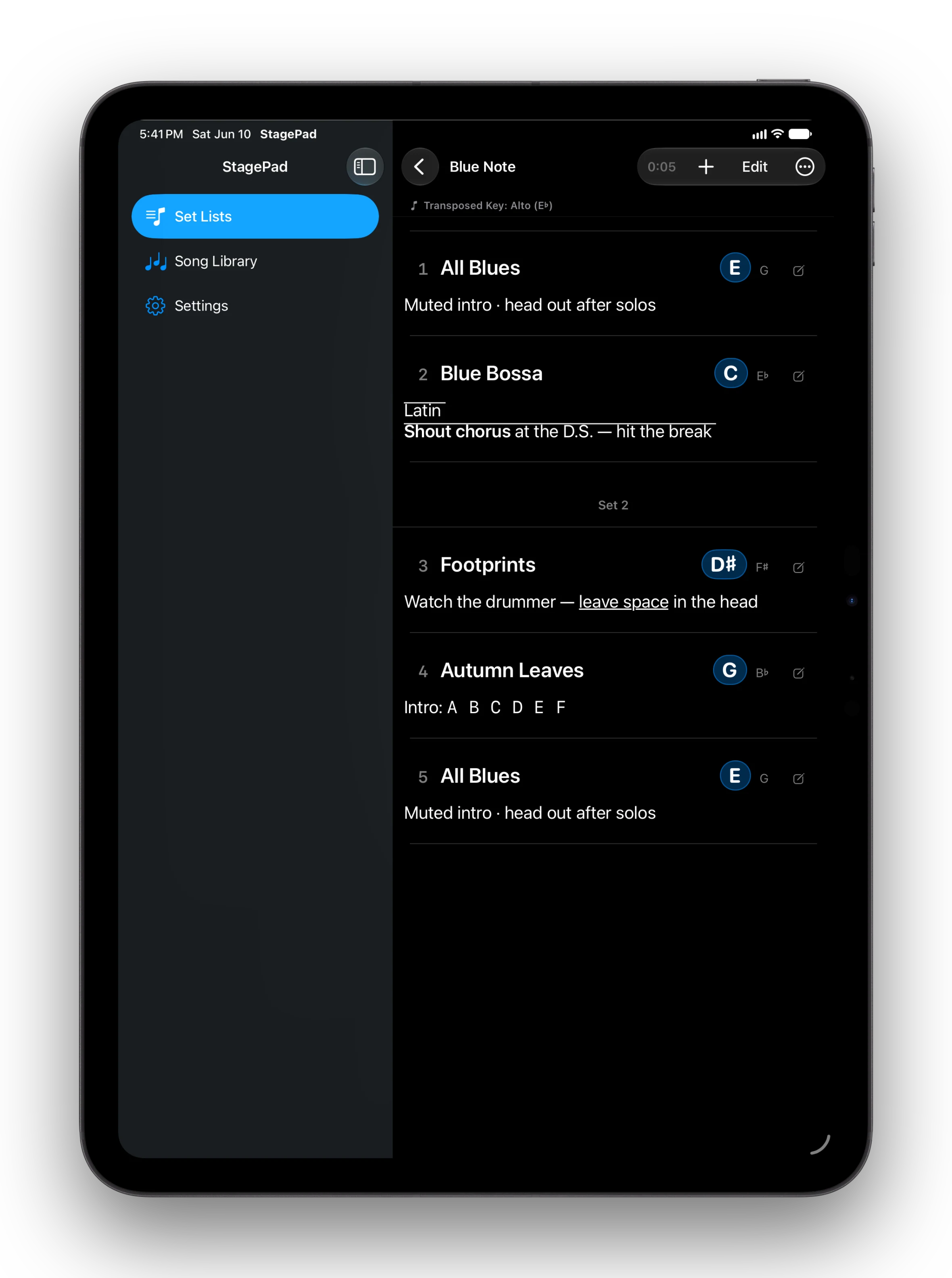
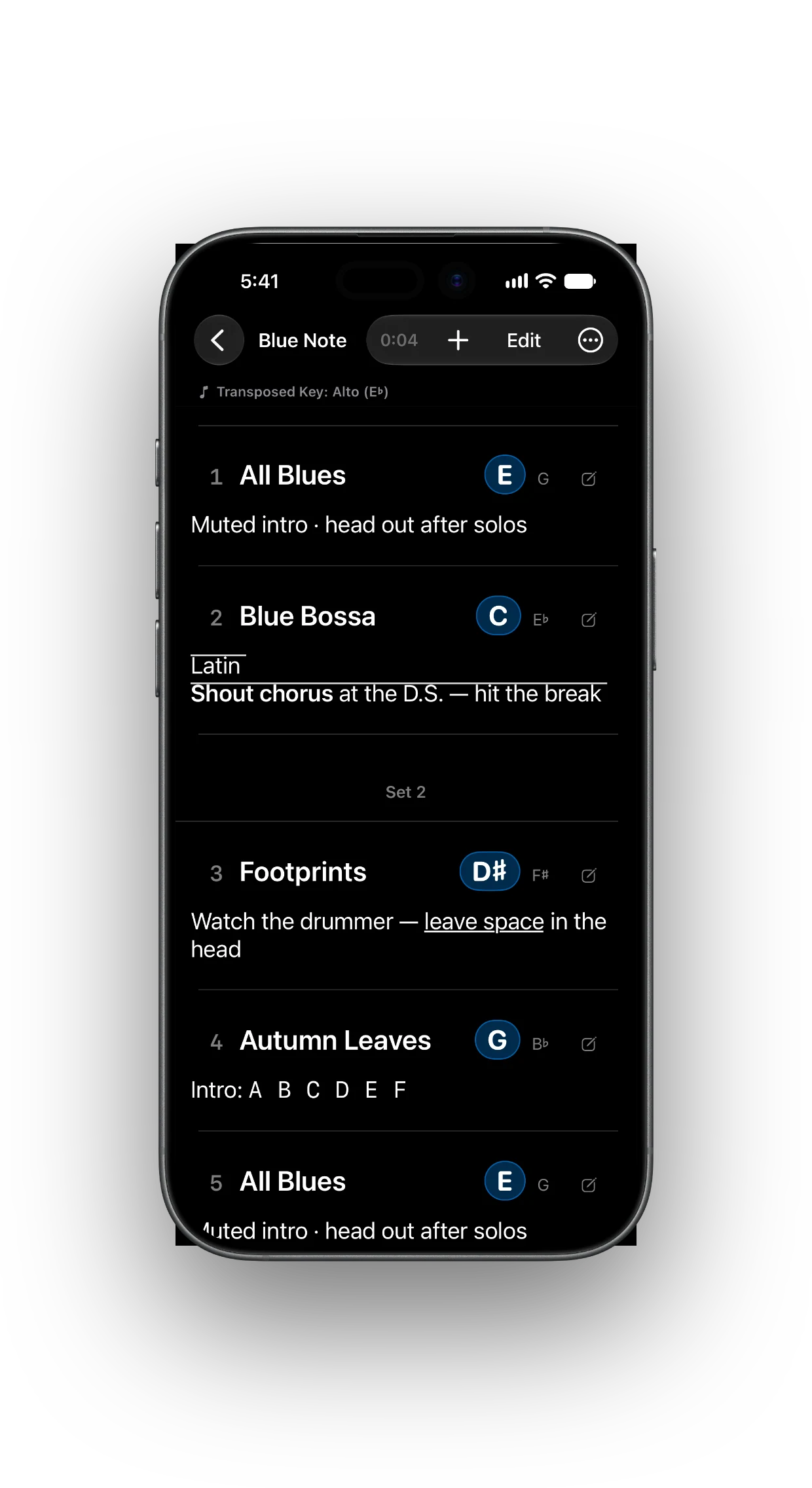
Every song, its written key, and your notes — one continuous sheet, big enough to read from the stand. The key follows the instrument you're playing.
TestFlight beta · iPhone · iPad · Mac
The stage view
No tapping into a song mid-set. Every title, key, and note is on screen at once — readable in a dim room, sized for the distance.
One continuous sheet
Song numbers, dividers, key badges, and the notes themselves stay in one sequence. Scroll it, mark it played, and keep playing.
Transposed keys
Pick Alto, Tenor, or another preset once. Every song's written key is derived from its concert key and shown big, with the concert key kept quietly beside it.
Written for Concert. The concert key is never rewritten.
The notes keyboard
The notes field swaps the system keyboard for one that speaks chart: chord suffixes, accidentals, and the punctuation charts actually use. No switching to a symbol picker mid-rehearsal.
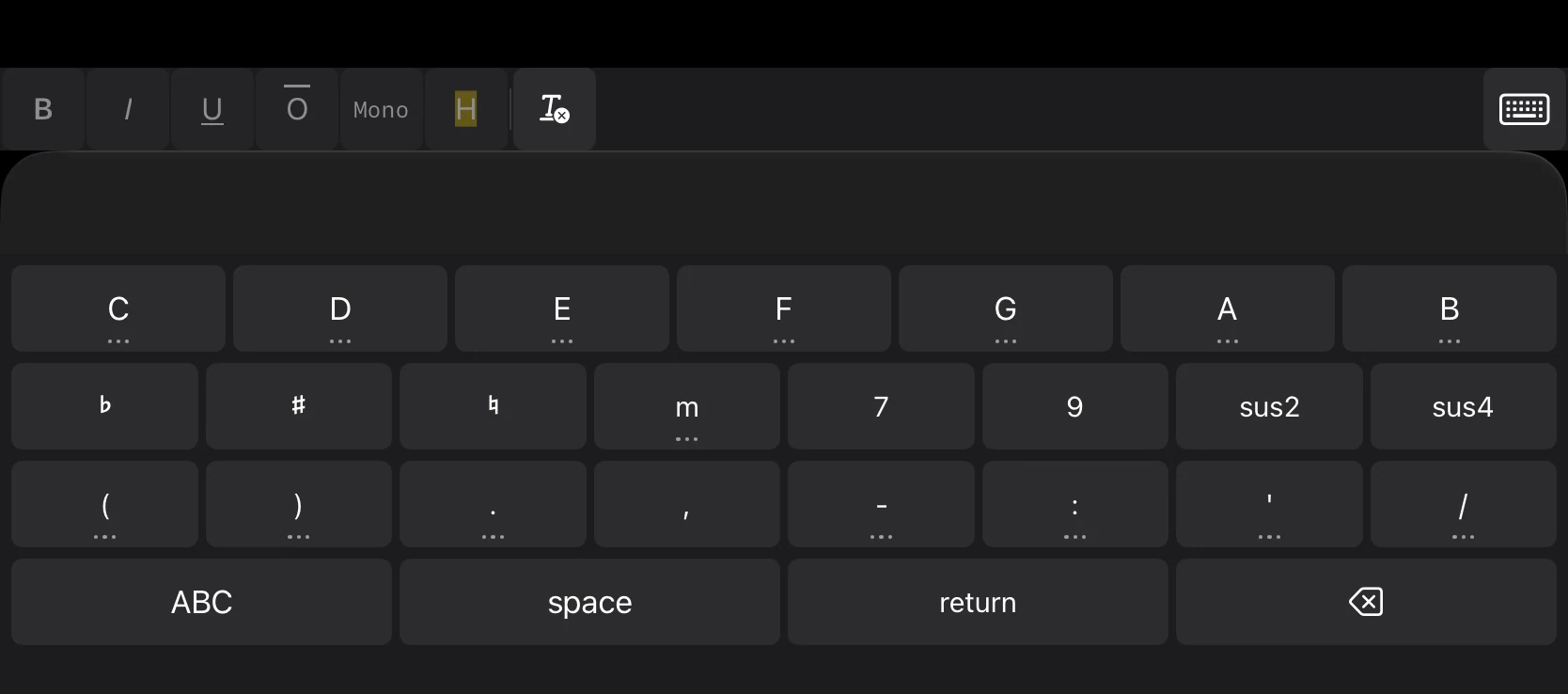
m 7 9 sus2 sus4 — the shapes you actually type, one tap away.
♭ ♯ ♮ stay real Unicode in the note, and held letter keys offer dotted, circumflex, and overline variants.
The three-dot marker means a press-and-hold has more: paired brackets, arrows, and chart punctuation without a picker.
Quick reordering
Edit collapses the sheet to titles, so the whole set fits in one glance. Drag a row; the numbers and the night follow. Done restores the notes.
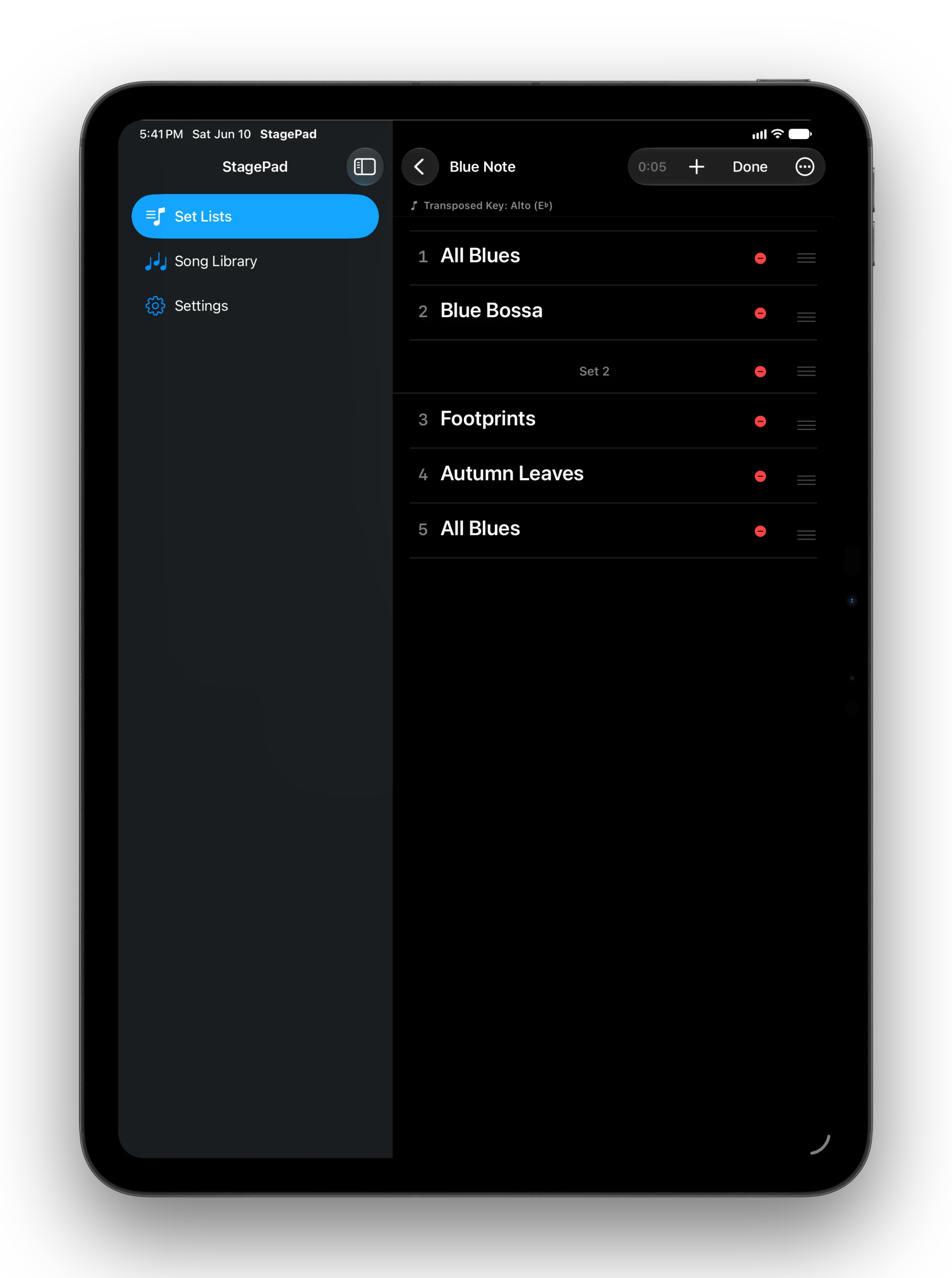
Cross-device sync
Start a list on the Mac, reorder it on the iPad at the gig, check it on the phone in the case. One library syncs through your private iCloud — no StagePad account, no developer server.
If iCloud is unavailable, the app says so instead of pretending.
And the rest
A large-print portrait set list, with song numbers and keys. US Letter or A4 follows your region.
Start next week's list from last week's, with a new date and every played mark cleared.
Tap a row as the night moves. Clear them when the next set starts; the order stays put.
A running clock on the stage, started and reset with one tap — and still there after a relaunch.
17–44 pt, dark by default, with the screen kept awake while a set list is open.
Export the whole library as JSON; import it into an empty library on another device. Your data leaves only when you say so.
TestFlight beta
StagePad is in TestFlight on iPhone, iPad, and Mac. It's a working tool, not a launch: if you play, I'd like your notes.